Wingdings Chart & Alphabet
The complete Wingdings chart — your printable cheat sheet and key for every keyboard character (A–Z, a–z, 0–9) mapped to its Wingdings symbol with the matching Unicode value. Use it as a reference, or translate automatically with our Wingdings translator.
Complete Wingdings Alphabet Chart
Find any character below to see its Wingdings symbol:
| Character | Wingdings Symbol | Unicode |
|---|---|---|
A | ✌ | U+270C |
B | 👌 | U+1F44C |
C | 👍 | U+1F44D |
D | 👎 | U+1F44E |
E | ☜ | U+261C |
F | ☞ | U+261E |
G | ☝ | U+261D |
H | ☟ | U+261F |
I | 🖐 | U+1F590 |
J | ☺ | U+263A |
K | 😐 | U+1F610 |
L | ☹ | U+2639 |
M | 💣 | U+1F4A3 |
N | ☠ | U+2620 |
O | 🏳 | U+1F3F3 |
P | 🏱 | U+1F3F1 |
Q | ✈ | U+2708 |
R | ☼ | U+263C |
S | 💧 | U+1F4A7 |
T | ❄ | U+2744 |
U | 🕆 | U+1F546 |
V | ✞ | U+271E |
W | 🕈 | U+1F548 |
X | ✠ | U+2720 |
Y | ✡ | U+2721 |
Z | ☪ | U+262A |
a | ♋ | U+264B |
b | ♌ | U+264C |
c | ♍ | U+264D |
d | ♎ | U+264E |
e | ♏ | U+264F |
f | ♐ | U+2650 |
g | ♑ | U+2651 |
h | ♒ | U+2652 |
i | ♓ | U+2653 |
j | 🙰 | U+1F670 |
k | 🙵 | U+1F675 |
l | ● | U+25CF |
m | 🔾 | U+1F53E |
n | ■ | U+25A0 |
o | □ | U+25A1 |
p | 🞐 | U+1F790 |
q | ❑ | U+2751 |
r | ❒ | U+2752 |
s | ⬧ | U+2B27 |
t | ⧫ | U+29EB |
u | ◆ | U+25C6 |
v | ❖ | U+2756 |
w | ⬥ | U+2B25 |
x | ⌧ | U+2327 |
y | ⮹ | U+2BB9 |
z | ⌘ | U+2318 |
0 | 📁 | U+1F4C1 |
1 | 📂 | U+1F4C2 |
2 | 📄 | U+1F4C4 |
3 | 🗏 | U+1F5CF |
4 | 🗐 | U+1F5D0 |
5 | 🗄 | U+1F5C4 |
6 | ⌛ | U+231B |
7 | 🖮 | U+1F5AE |
8 | 🖰 | U+1F5B0 |
9 | 🖲 | U+1F5B2 |
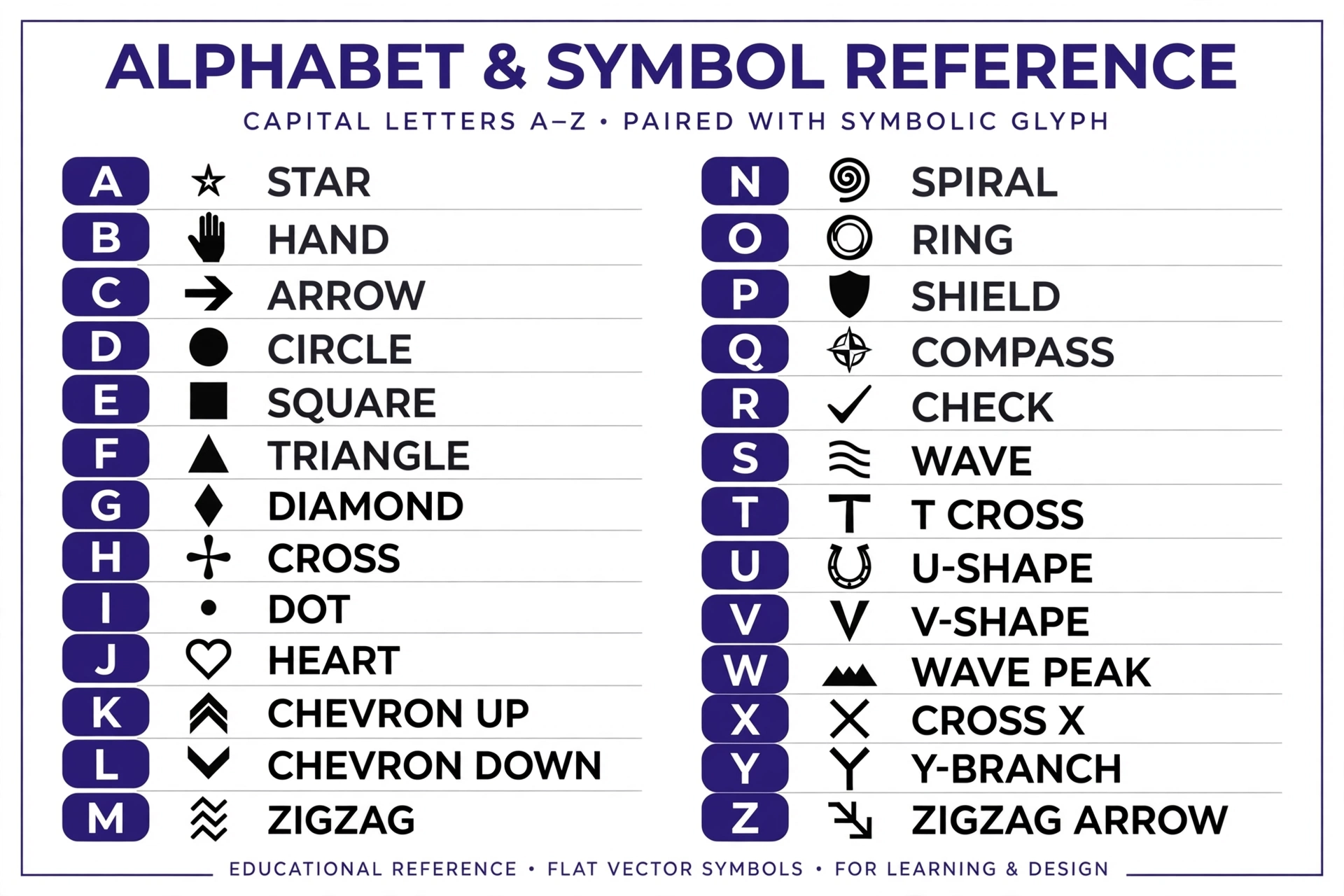
How to Read the Wingdings Chart
Think of this table as your Wingdings key: find the keyboard character on the left, read its symbol on the right.
Each row shows three things: the character you type, the Wingdings symbol it produces, and the symbol’s Unicode value (the universal code computers use). For example, typing A in the Wingdings font displays ✌ (U+270C).
Wingdings Numbers & Punctuation
Numbers 0–9 map to symbols like 📁 (0) and 🔟-style glyphs, while punctuation marks (!, ?, .) become decorative symbols. The full table above includes all of them. For the extended technical set, see Alan Wood’s Wingdings reference.
Wingdings 2 and Wingdings 3 Charts
Remember: Wingdings 2 and Wingdings 3 use completely different symbol assignments. Don’t use this chart for those fonts — use our dedicated Wingdings 2 translator and Wingdings 3 translator instead.
Frequently Asked Questions
Where can I find a printable Wingdings alphabet chart?
This page is the complete reference — you can print it directly from your browser (Ctrl/Cmd + P) for a physical copy.
What is the Unicode value of a Wingdings symbol?
Each Wingdings glyph corresponds to a Unicode code point, listed in the third column of the chart above. Unicode is what lets the symbols display on any device without the Wingdings font installed.
How many symbols are in Wingdings?
The Wingdings font contains 224 characters covering letters, numbers, punctuation, and extended symbols — all mapped in the chart above.
Is there a Wingdings chart for Gaster’s dialogue?
Gaster’s text uses standard Wingdings, so this chart decodes it — or use our Gaster translator for instant decoding.